
When Up is a progressive web app that can notify you when your next race is up.
Steps for Safari iOS
To receive Notifications on iOS, first enable Notifications then add the When Up page to your Home Screen.
These steps are not necessary for Chrome on Android or PC or Mac versions of Chrome or Safari.
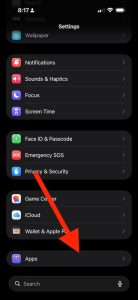
In the iOS Settings App scroll to the bottom and select Apps
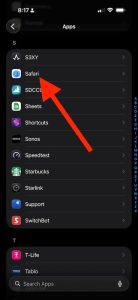
Scroll down to Safari
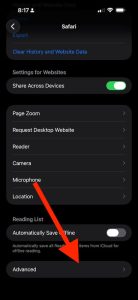
Scroll down to Advanced
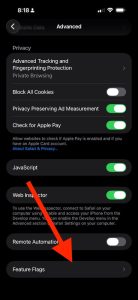
Scroll down to Feature Flags
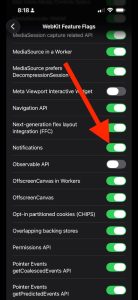
Enable Notifications
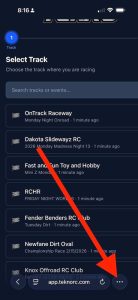
While on the When Up page (https://app.teknorc.com/whenup), click the three dots in the bottom right hand corner.
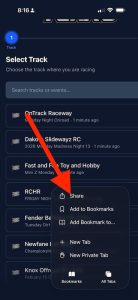
Select Share
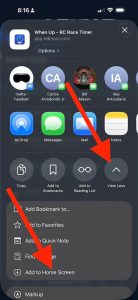
Select Show More then Add to Home Screen
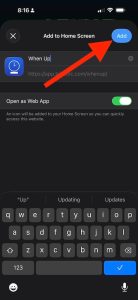
Click Add
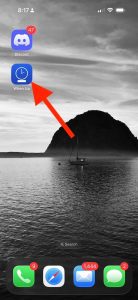
When Up is now an icon on your Home Screen